

Sketch Tide
A macOS app where fish, jellyfish, and octopuses you draw swim across the desktop without interrupting your work, adding the presence of living creatures while you work alone.
- Platforms
- Apple silicon / macOS 26.0 or later
- Price
- Free (optional tips)
- Languages
- Japanese / English
- Account
- Not required
- Network
- Core features work offline. Network is used only for optional tips and external pages.
- Category
- Lifestyle
Note: Supported operating systems vary by app version. Updates may end support for older operating systems. Continued compatibility with future operating systems is not guaranteed.
Who it is for
- People who spend long hours developing, writing, or creating alone on a Mac
- People who want a small sense of company without interruptions
- People who cannot live with an animal because of their home or the responsibility of ongoing care
- People who enjoy seeing something they drew begin to move
Problem
Long hours spent developing, writing, or creating alone at a Mac can feel lonely when no other living creature is present. Videos can interrupt the work, while desktop pets built around care, progress, or notifications can become another task. Sketch Tide places creatures you draw on the desktop without capturing clicks or requiring care. They add the presence of living creatures while you continue working as usual.
Features
Bring a creature to life from one drawing
Choose fish, jellyfish, octopus, or drifting movement, then draw freely on the built-in canvas. No separate parts, rigging, or animation work is required.
Movement shaped by your drawing
Sketch Tide derives an internal rig from the outline you draw and uses it with the selected movement style to create fish-like waves, jellyfish contractions, octopus arm motion, or gentle drifting.
Pointer-aware behavior while you work
Creatures do not capture clicks and move away from an active pointer. When the pointer rests, some may approach or gently poke its tip.
No care mechanics
There is no feeding, growth, affection meter, notification, or progress goal. Creatures do not weaken or disappear when you spend time away from the app.
A library for every creature
View each creature's name, drawing, creation date, and swimming state. You can edit its drawing or movement, let it rest, return it to the desktop, or delete it.
Local storage and backups
Drawings, names, settings, and drafts stay on your Mac. All local data can be exported to one backup file and restored after Sketch Tide creates a safety backup.
How to use it
-
Open “Draw a Creature” from the menu bar.
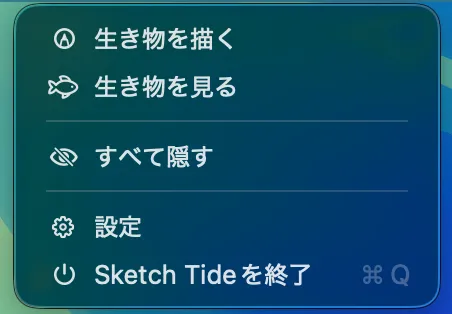
Drawing, viewing, and hiding creatures starts from the menu bar. -
Choose fish, jellyfish, octopus, or drifting movement, then draw on a blank canvas or use an optional guide with pencil, fill, eyedropper, eraser, and layers.
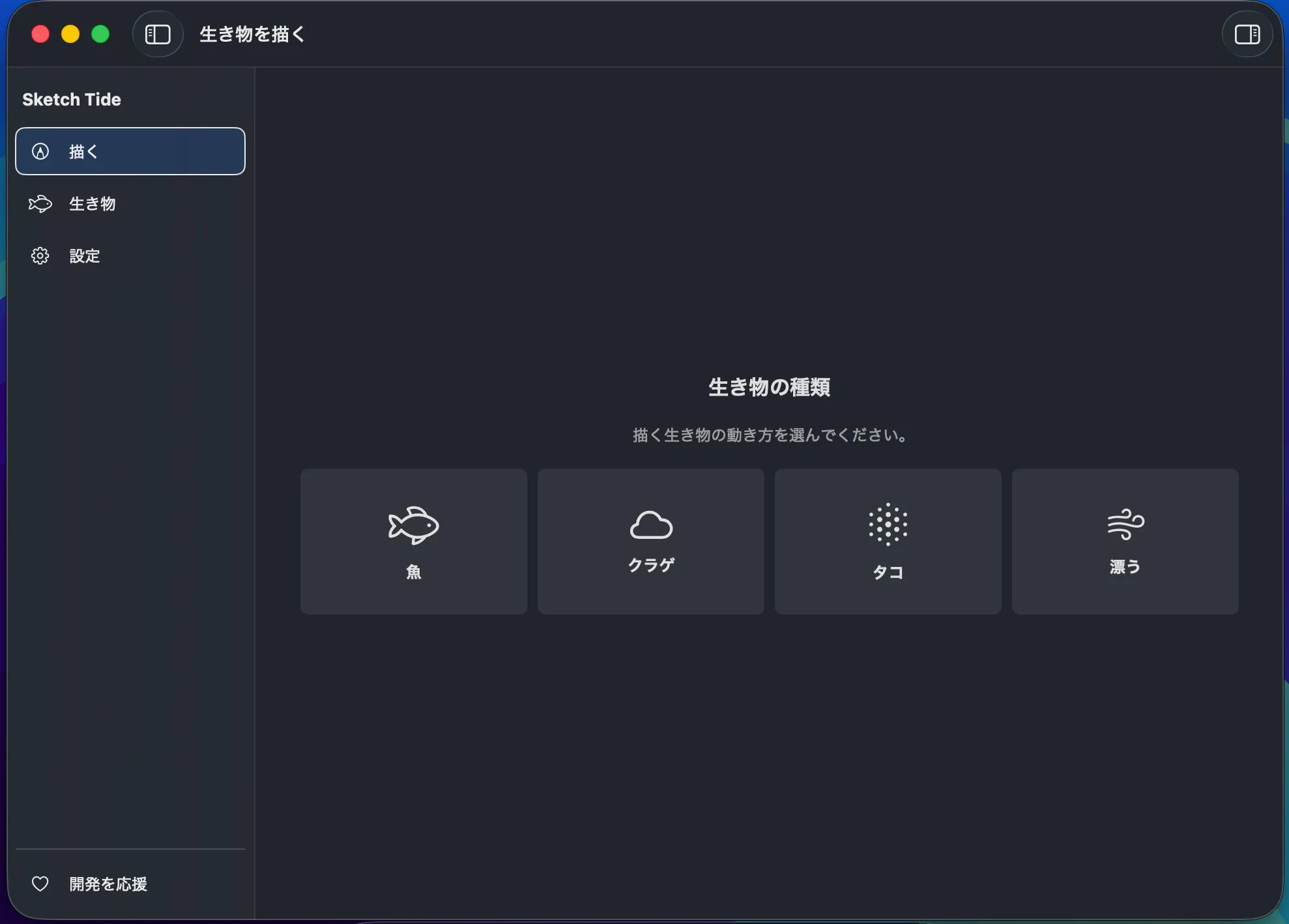
Choose how the finished creature will move before you begin drawing. 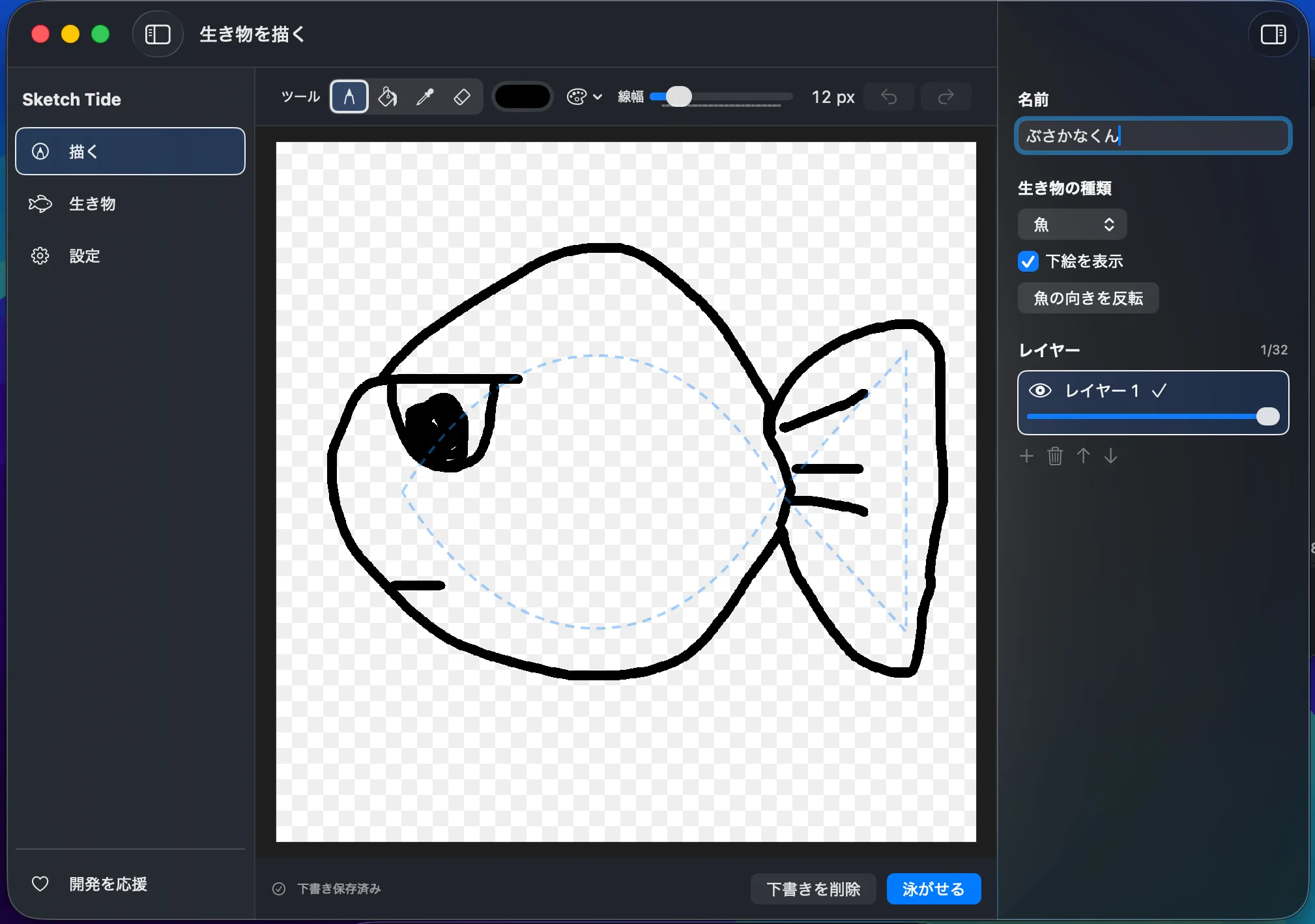
Use an optional guide, drawing tools, and layers to create the creature as one canvas drawing. -
Give the creature an optional name and choose “Let It Swim” to send it from the canvas onto your desktop.
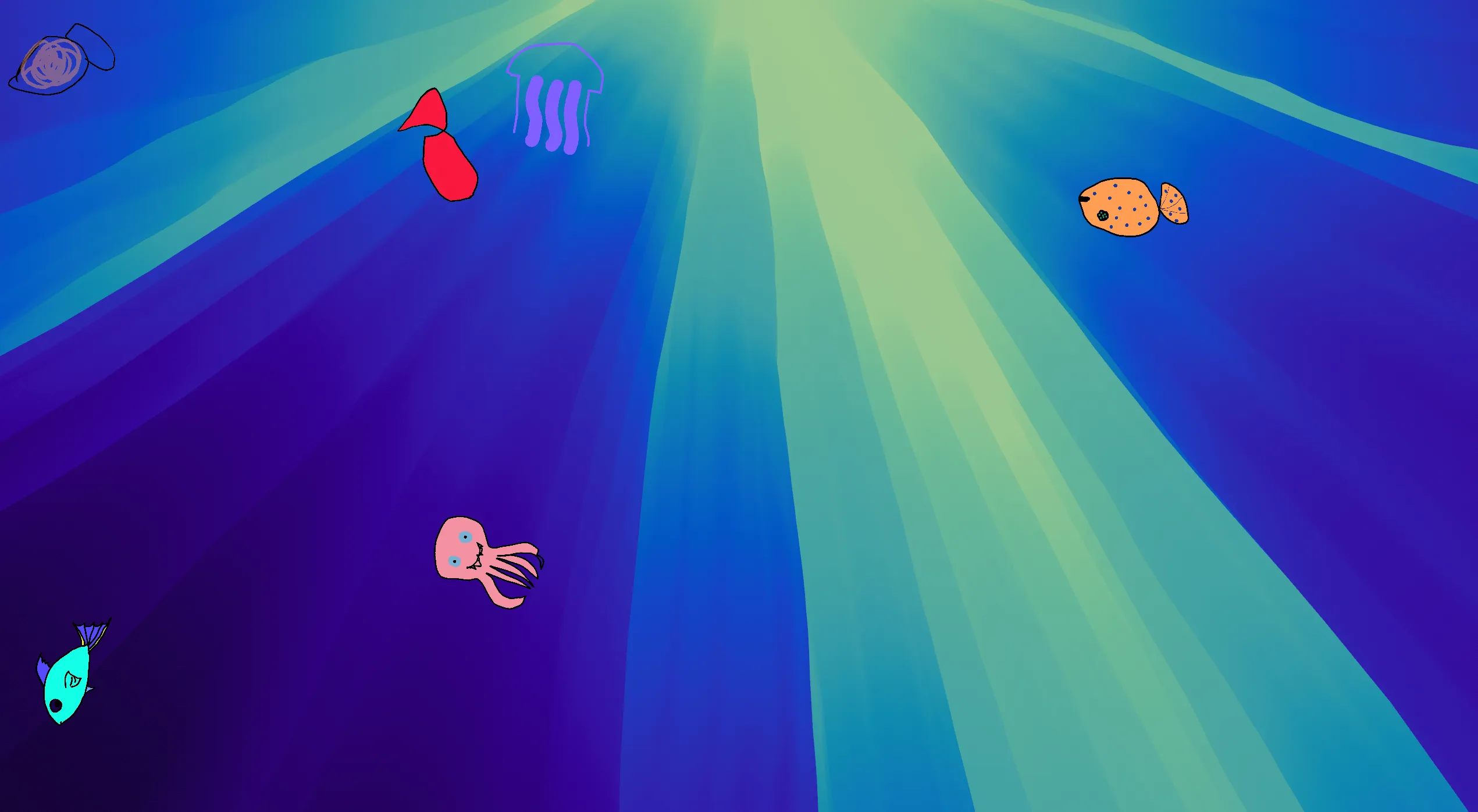
Creatures you draw swim across your desktop. -
Continue using your Mac as usual. Edit, rest, or return creatures from the library whenever needed.
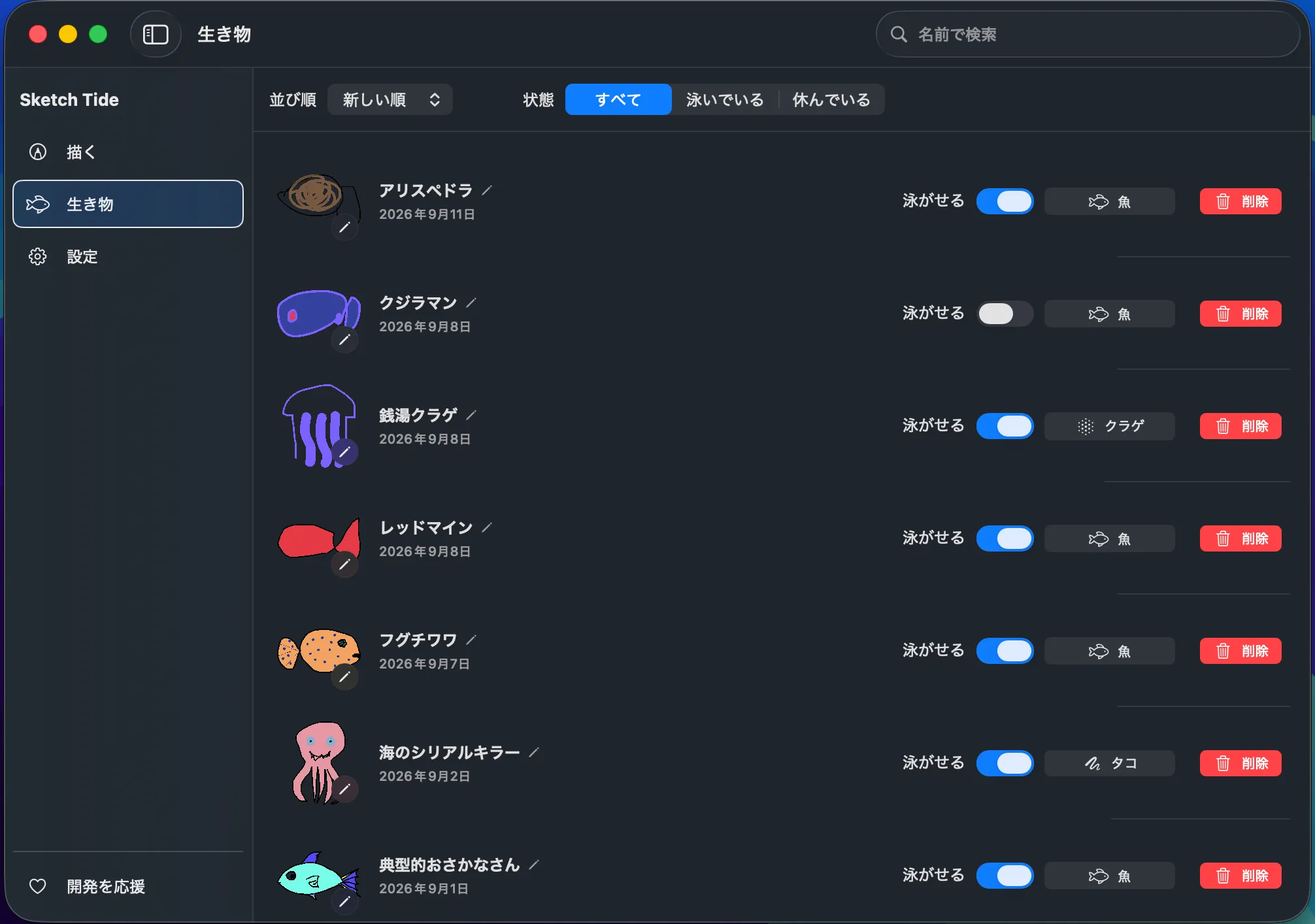
The library keeps each creature's name, type, creation date, and swimming state in one place.
Limitations
- Sketch Tide supports Apple silicon Macs running macOS 26.0 or later. It does not support Intel Macs, Windows, iPhone, or iPad.
- Importing external images and exporting images or videos are not supported.
- There is no fixed limit on saved creatures, but no more than six can swim at once.
- Creatures can use the main display and up to one additional display selected by the user.
- Complete keyboard or VoiceOver operation of freehand drawing itself is not guaranteed.
- Backup files are not encrypted.
Data and privacy
Drawings, names, settings, and drafts are stored locally inside the app's sandbox on your Mac. Sketch Tide does not use an account, its own server, cloud sync, analytics, advertising SDKs, or automatic crash reporting. In the release version, network use is limited to Apple StoreKit for optional tips and privacy or support pages explicitly opened by the user. Diagnostic information is previewed and saved manually; it is never sent automatically.
FAQ
Q Does Sketch Tide require an internet connection?
Its core drawing, storage, and desktop features work offline. The release version uses a connection only for optional tips and external privacy or support pages opened by the user.
Q Can I import my own image?
No. Drawing inside the app is part of Sketch Tide's central experience.
Q Will my creatures weaken or disappear if I do not care for them?
No. Sketch Tide has no feeding, growth, affection, or death system.
Q How many creatures can I create?
There is no fixed limit on the number you can save. Up to six creatures can swim on the desktop at the same time.
Q Can I back up my creatures?
Yes. Drawings, layers, names, movement, settings, and drafts can be exported to one backup file and restored later.